







Daylight Saving Time (DST) begins in many regions each spring and ends in the fall. During these changes, local clocks move forward or backward by one hour.
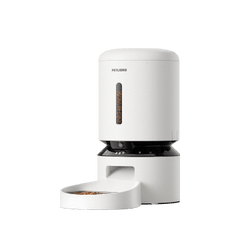
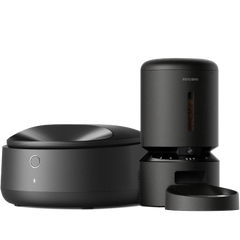
Some users may wonder whether their Petlibro feeder automatically adjusts feeding schedules during these time changes.
Will my feeder automatically adjust for Daylight Saving Time?
If your feeder is connected to the Petlibro app and synced with your device’s local time, the feeder will follow your local time settings.
This means that when Daylight Saving Time begins or ends, the feeder’s clock will update along with your local time.
Your feeding schedules will continue to run based on the time displayed in the app.
Why might the feeding time feel different after DST?
Although the feeder follows the local clock, pets rely on their daily routine and biological schedule. When the clock shifts by one hour, pets may still expect food based on their previous routine.
For example:
| Scheduled Feeding | Before DST | After DST |
|---|---|---|
| 7:00 AM | 7:00 AM | 7:00 AM (local time) |
Even though the schedule remains 7:00 AM in the app, your pet may feel the feeding time is one hour earlier or later compared to their usual routine.
Most pets adjust to the new schedule within a few days.
Can I change the time zone of my feeder?
The feeder’s time zone is determined based on the time zone of the network when the device is first connected to the app.
Once the device has been successfully connected, the feeder will continue using that time zone and will not automatically change if your phone’s time zone changes later.
During daylight saving time (DST) transitions, the feeder will normally update automatically to the new local time.
If you need to change the feeder’s time zone, the device must be reset and reconnected to the app, so it can detect the new time zone during setup.
What if my feeder time appears incorrect?
If the feeder’s time appears incorrect after a daylight saving time (DST) change, adjusting your phone’s time zone will not update the feeder’s time.
Please try the following step:
Restart the feeder
-
Unplug the power cable
-
Remove the batteries (if available) to completely power off the device
-
Reconnect the power cable and reinstall the batteries (if available)
After restarting, the feeder will resynchronize and future feeding schedules should run at the correct time.
Please note that feeding records that were already generated will keep their original timestamps and will not be updated.
Still need help?
If the issue continues after restarting the feeder, please submit a support ticket directly in the Petlibro app:
Me → Support
To help us assist you more efficiently, please:
-
Enable the log consent option
-
Include details such as your feeding schedule screenshot
-
Provide a brief description of the issue
Our support team will review the device logs and help resolve the problem as quickly as possible.