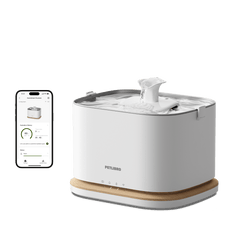



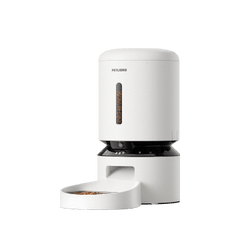





Petlibro Device Offline? Fix It in 3 Steps
If your device won't reconnect automatically after disconnects, follow these steps in order.
1. Restart Everything
- Remove the installed batteries first (if available).
- Unplug your Petlibro device, wait 30 seconds, and plug it back in.
2. Check Your Phone & Signal
- Make sure your phone is connected to a device-compatible Wi-Fi.
- Place your device close to the router within 15 ft to ensure a strong WiFi signal.
3. Reset & Reconnect
- Find the "Reset" button on the device.
- Press and hold it for 5 seconds until you see the WiFi indicator flash white or hear a sound prompt.
- Open the Petlibro app and add the device again, like it's new.
For Model-Specific Connection Video Guides, Please Check The Video Links Below:
Luma Smart Litter Box (LB001): Luma Smart Litter Box Connection Tutorial Video
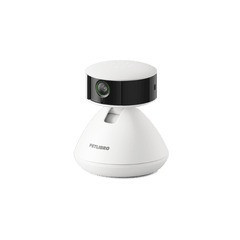
Scout Smart Camera (PC001): Scout Smart Camera Connection Tutorial Video
Petlibro Smart Feeders:
-
Polar Smart Wet Food Feeder (AF109): Polar Smart Wet Food Feeder Connection Tutorial Video
-
One RFID Smart Feeder (AF301): One RFID Smart Feeder Connection Tutorial Video
-
Granary Smart Camera Feeder (AF203): Granary Smart Camera Feeder Connection Tutorial Video
-
Granary Smart Feeder (AF103): How to Connect Your Granary Smart Feeder Via Bluetooth or Hotspot
-
Air Smart Feeder (AF108): How to Connect the Air Smart Feeder to the Petlibro App
-
Space Smart Feeder (AF107): Space Smart Feeder Connection Tutorial Video
Petlibro Smart Fountains:
-
Dockstream RFID Smart Fountain (WF305): How to connect the Fountain
-
Dockstream 2 Smart Cordless Fountain (WF116): How to Connect via Bluetooth and Hotspot
-
Dockstream 2 Smart Fountain (WF106): How to Connect via Bluetooth or Hotspot
-
Dockstream Smart Fountain (WF105): How To Connect The Fountain Via Bluetooth And Hotspot